Journey Results
Free: one journey, checked daily
The full step timeline, screenshots, and success rate for a single flow — usually checkout or your main form — with email alerts.
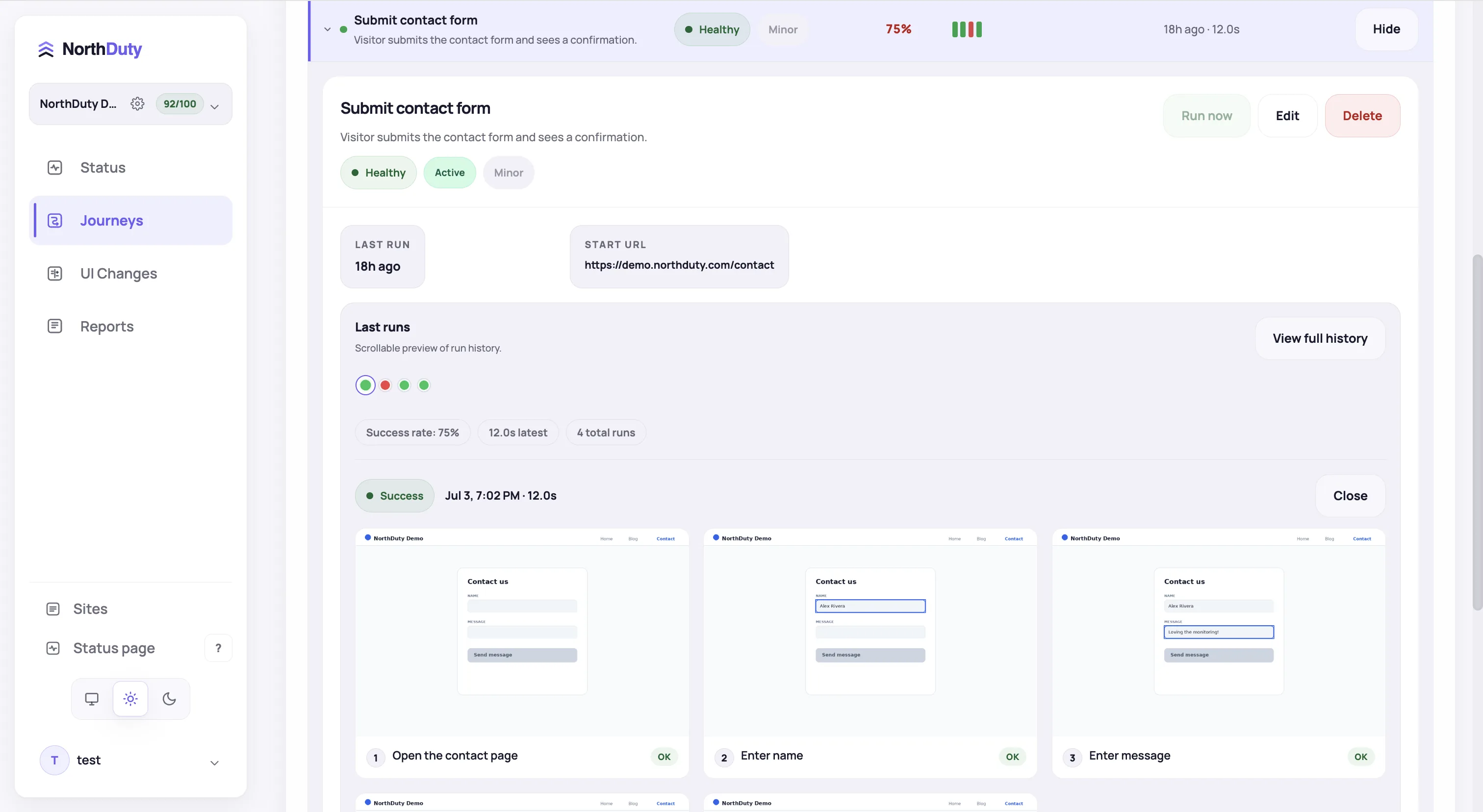
Choose a plan by the client sites you manage, the journeys you save and how often they run. Try Pro features and limits for 7 days without a credit card. Free keeps one journey running daily; paid plans add more sites, more frequent journey checks and additional monitoring features.
Start your 7-day trial — no credit card, free plan after.
Free to start, no card required; paid plans scale with the checks you actually run.
Your trial includes Pro limits: 5 sites, 15 journeys checked every 15 minutes, deploy detection and all alert channels. Then choose a paid plan or continue within the Free limits.
$0
One journey, checked once a day. Enough to know checkout still works each morning.
$29/mo
Six journeys every 15 minutes — checkout, login, contact form — on up to 2 sites.
$79/mo
Fifteen journeys every 15 minutes across 5 sites. The agency tier.
$199/mo
Forty-five journeys every 10 minutes across 15 sites, for agencies with a deep client roster.
$499/mo
150 journeys every 5 minutes across 50 sites, dedicated workers, and priority support.
* Calculated for a 30-day month with every included journey running at the plan's fastest scheduled interval. This is not a separate usage cap; manual, deployment-triggered, and retry runs are excluded.
A journey is one saved sequence of steps and an expected outcome—for example, opening a product, adding it to the cart and checking for the configured checkout confirmation. Each scheduled execution is a run of that journey, not another saved journey.
For five client sites with three journeys each, Pro covers 15 journeys checked every 15 minutes for $79/month total. That is $15.80 per site when all five site slots are used. The journeys could cover a checkout, login and contact form on each site.
For fifteen client sites with three journeys each, Business covers 45 journeys checked every 10 minutes for $199/month total—about $13.27 per site at full use. These are package examples, not per-site offers. Check the page limits below for your portfolio.
NorthDuty pricing maps to the level of business risk and monitoring depth you need to cover.
Every plan runs journeys. Moving up buys more of them, run more often, with more evidence and more alert channels around each failure.
The full step timeline, screenshots, and success rate for a single flow — usually checkout or your main form — with email alerts.
Slack, SMS, and threshold rules on failed journeys, health score, response time, and SSL expiry. Deploy detection switches on.
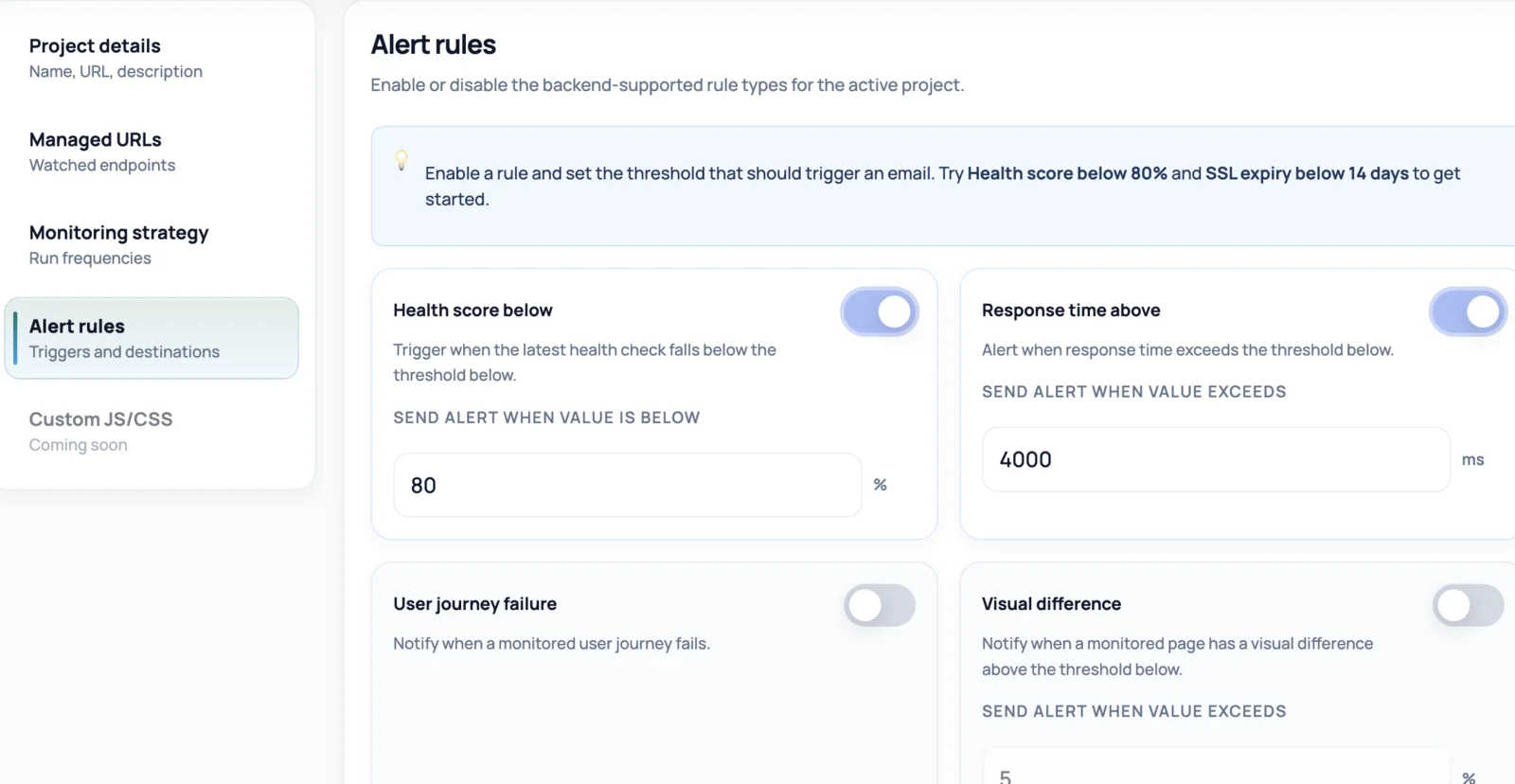
Five or more sites, 1-minute health checks, and AI-suggested journeys on every client site — the tier built for agencies on retainer. Business runs journeys every 10 minutes, Enterprise every 5.
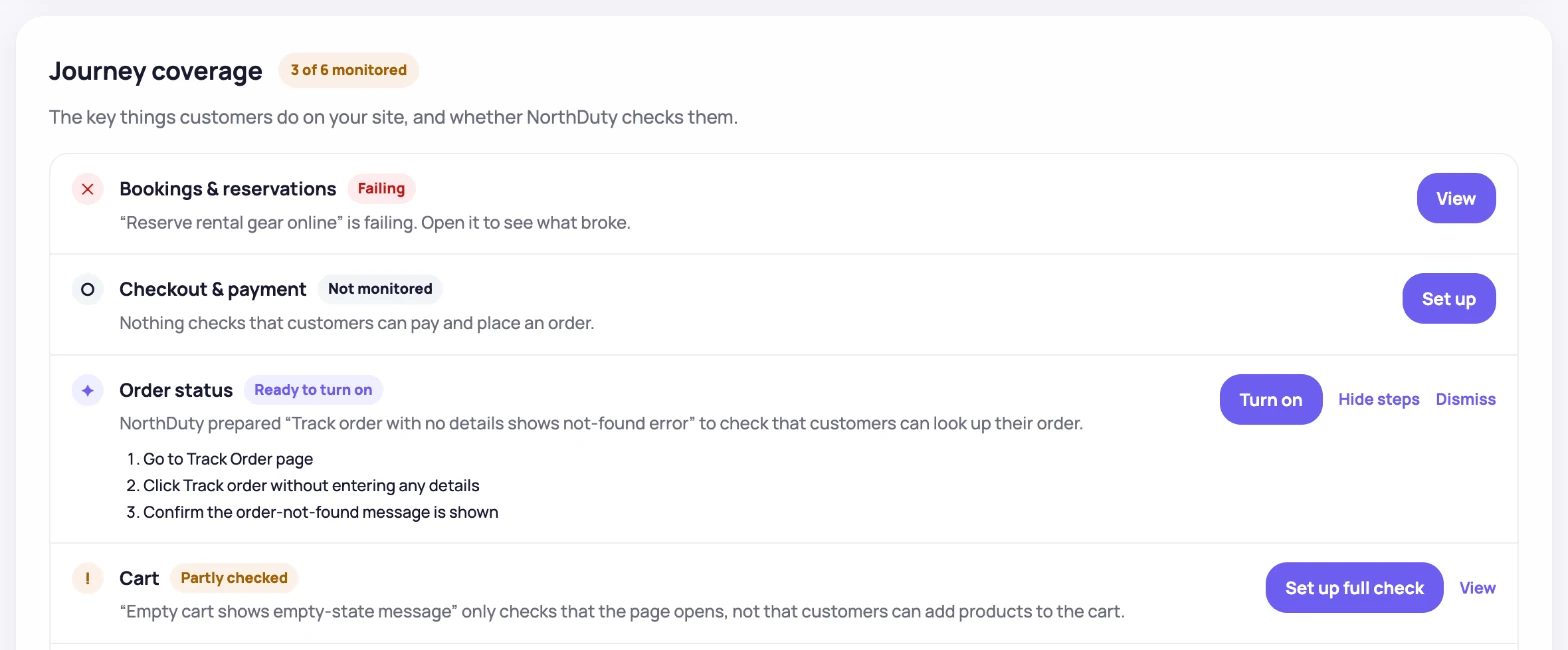
Pick the plan shape that matches your current website complexity and risk.
Checkout, signup, login, lead form — per site. That number is your plan.
Daily is fine for a brochure site. A store that takes orders around the clock wants every 15 minutes or faster.
For 7 days everything is unlocked, so you can run journeys on your real site and see which ones actually catch something.
Start with the monitoring depth you need now rather than overbuilding on day one.
Add more coverage as new pages, flows, launches, and stakeholders become important.
A feature-by-feature look at what is included in each NorthDuty plan.
| Feature | Free $0 | Starter $29/mo | Pro $79/mo | Business $199/mo | Enterprise $499/mo |
|---|---|---|---|---|---|
| Sites | 1 site | 2 sites | 5 sites | 15 sites | 50 sites |
| Health monitoring | Health monitoring + 1 daily journey | Health monitoring | Health monitoring | Health monitoring | Health monitoring |
| Check frequency | Every 5 minutes | Every 5 minutes | Every 1 minute | Every 1 minute | Every 1 minute |
| Deployment monitoring | Via plugin or webhook | ✓ | ✓ | ✓ | ✓ |
| User journeys | 1 journey | 6 journeys | 15 journeys | 45 journeys | 150 journeys |
| Journey check frequency | Daily | Every 15 minutes | Every 15 minutes | Every 10 minutes | Every 5 minutes |
| Maximum journey runs/month* | 30 | 17,280 | 43,200 | 194,400 | 1,296,000 |
| Notifications | Email notifications only | All alert channels (email, Slack, SMS, and more) | All alert channels (email, Slack, SMS, and more) | All alert channels (email, Slack, SMS, and more) | All alert channels (email, Slack, SMS, and more) |
| Priority support | — | — | — | — | ✓ |
| Dedicated workers | — | — | — | — | ✓ |
* Calculated for a 30-day month with every included journey running at the plan's fastest scheduled interval. This is not a separate usage cap; manual, deployment-triggered, and retry runs are excluded.
These pages explain the monitoring depth included in NorthDuty.
Feature
NorthDuty runs your checkout, signup, login and form flows in a real browser on a schedule and reports the exact step that failed, with a screenshot.
Explore User Journey MonitoringFeature
Monitor uptime every 5 minutes by default with HTTP, SSL, DNS, blank-page detection, broken resources, JavaScript errors, and API call tracking.
Explore Uptime MonitoringSolution
Monitor ecommerce checkout, add-to-cart, payment paths, blank pages, and JavaScript errors.
View For EcommerceSolution
Use NorthDuty for SaaS website monitoring to protect signup, login, onboarding, billing, and customer-facing application flows.
View SaaS Website MonitoringComparison
Looking for a UptimeRobot alternative? Compare NorthDuty vs UptimeRobot for deeper website health monitoring and user journey visibility.
Compare UptimeRobotComparison
Pingdom alternatives compared: how its uptime and advanced-check tiers are sized, what it does not publish, and what a journey-first tool costs instead.
Compare PingdomComparison
Looking for a Datadog alternative? Compare NorthDuty vs Datadog for focused website health monitoring and simpler website reliability workflows.
Compare DatadogComparison
Checkly alternatives compared: no-code journeys vs Playwright check runs, what run quotas mean in practice, and 2026 pricing for 5 alternatives.
Compare ChecklyAnswers to common questions about choosing a NorthDuty plan.
Every new workspace gets 7 days with all features unlocked: user journey monitoring, deployment monitoring, one-minute check frequency, and every alert channel including Slack, Teams, and SMS. No credit card is required to start it.
Nothing is charged and nothing is cancelled, because there is no card on file. Your workspace moves to the Free plan and keeps running health checks on one site, plus one user journey checked once a day. The projects and journeys you set up during the trial are kept — the ones beyond what Free covers simply stop running until you choose a plan.
No. The trial starts automatically when you register and needs no payment details. You only enter card details if you decide to choose a paid plan.
Not always. Many teams start with website health monitoring, then add user journey monitoring for checkout, login, or other business-critical flows. Every plan including Free runs at least one journey, and the trial is a good time to try more of them, since journeys are unrestricted for the full 7 days regardless of the plan you end up on.
Most ecommerce teams need at least enough coverage for product pages, cart, checkout, and third-party services. Pro-style coverage is usually the right starting point.
Yes. Agencies typically need broader coverage so they can monitor multiple client sites, important templates, and core customer journeys from one platform.
Choose a NorthDuty plan that matches your website risk today, then expand coverage as more pages, customer journeys, and stakeholders become business-critical.
7 days with Pro features and limits, no credit card — then keep one daily journey on the free plan.