NorthDuty Monitoring Features

Three monitoring types in every project: uptime, UI changes, and user journeys. Defaults work out of the box; cadences are configurable per project.

Uptime, UI changes, and user journeys — one project, three layers of monitoring.

Three monitoring types — one project, one base URL

Most teams do not just need to know whether a page answered. They need to know whether a customer can sign in, fill out a form, add to cart, complete checkout, or reach a key landing page without friction.

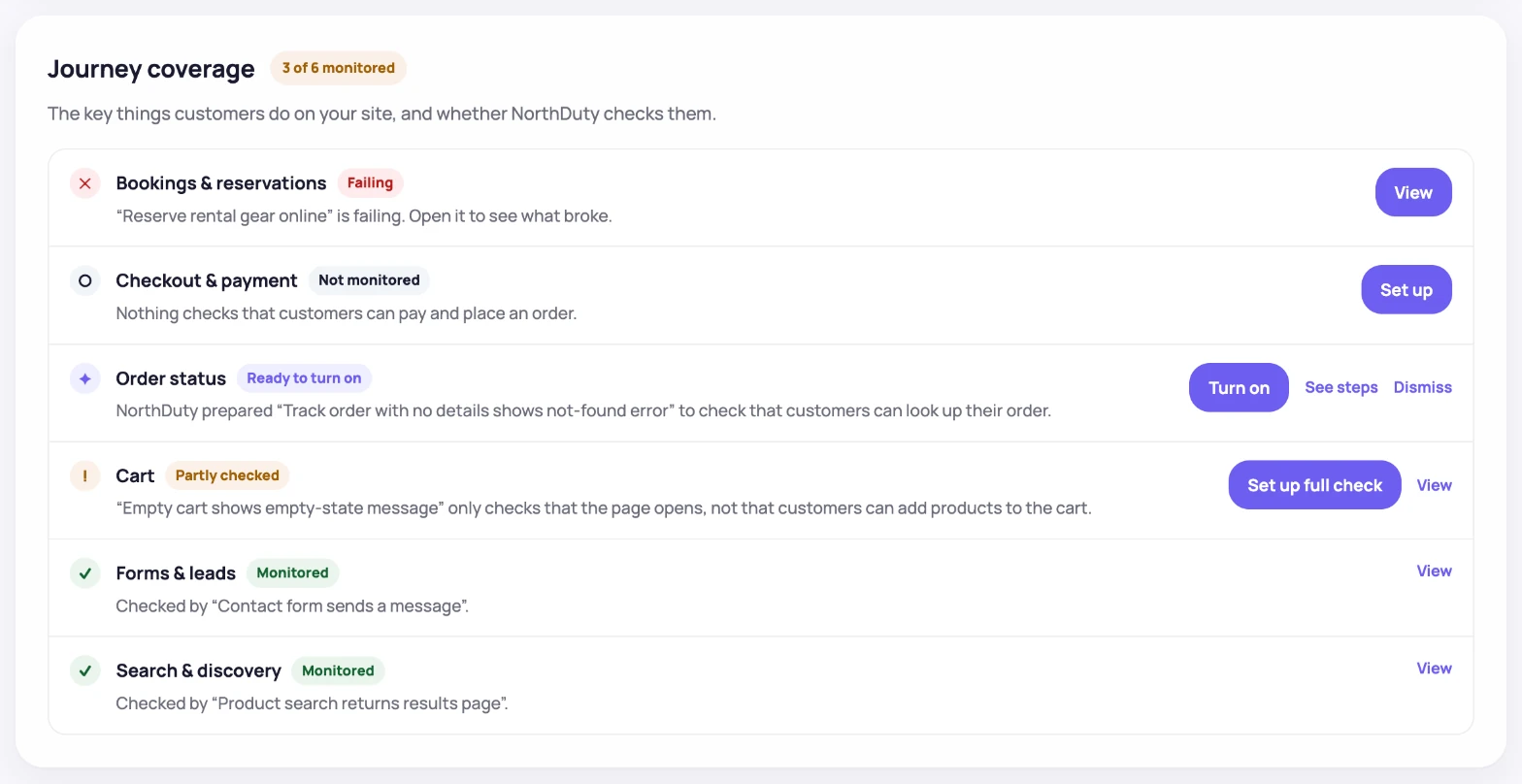
NorthDuty covers that with three monitoring types running on every project: website health checks every 5 minutes by default, screenshot-based UI change detection, and user journeys that NorthDuty AI suggests for you or that you describe in plain text.

The three monitoring types

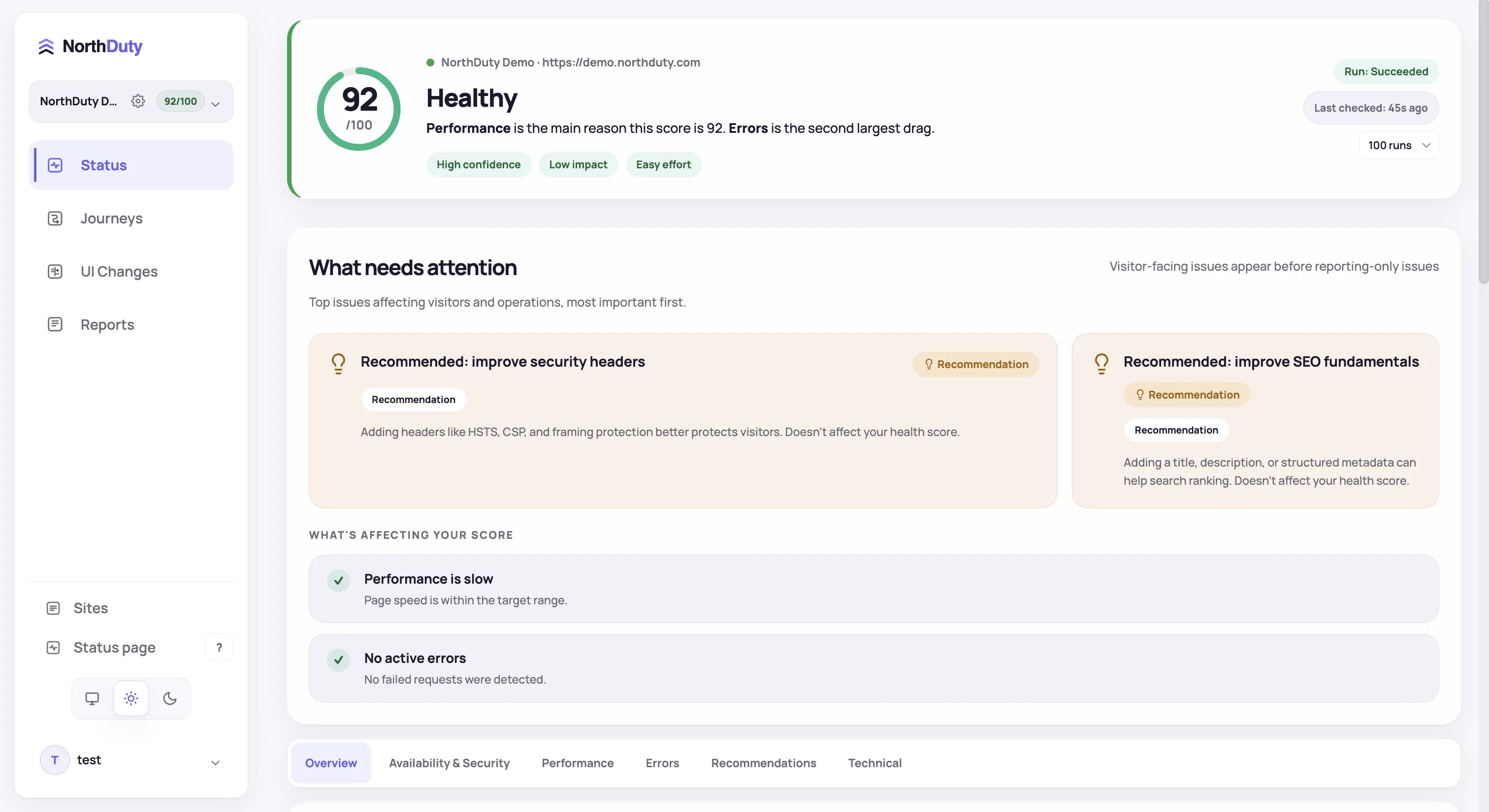
Health monitoring starts as soon as you add a base URL. Screenshot, visual diff, and journey cadences are configurable per project.

Uptime & website health

Every 5 minutes by default: HTTP status, SSL, DNS, redirects, response timing, blank-page detection, broken resources, JavaScript errors, API calls, security header scoring, WCAG accessibility auditing, SEO fundamentals, and domain expiry — all in one check.

UI changes monitoring

Scheduled screenshots and visual diffs compare current captures with previous baselines. Managed URL screenshot sets let teams review more than the base URL when needed.

User journeys

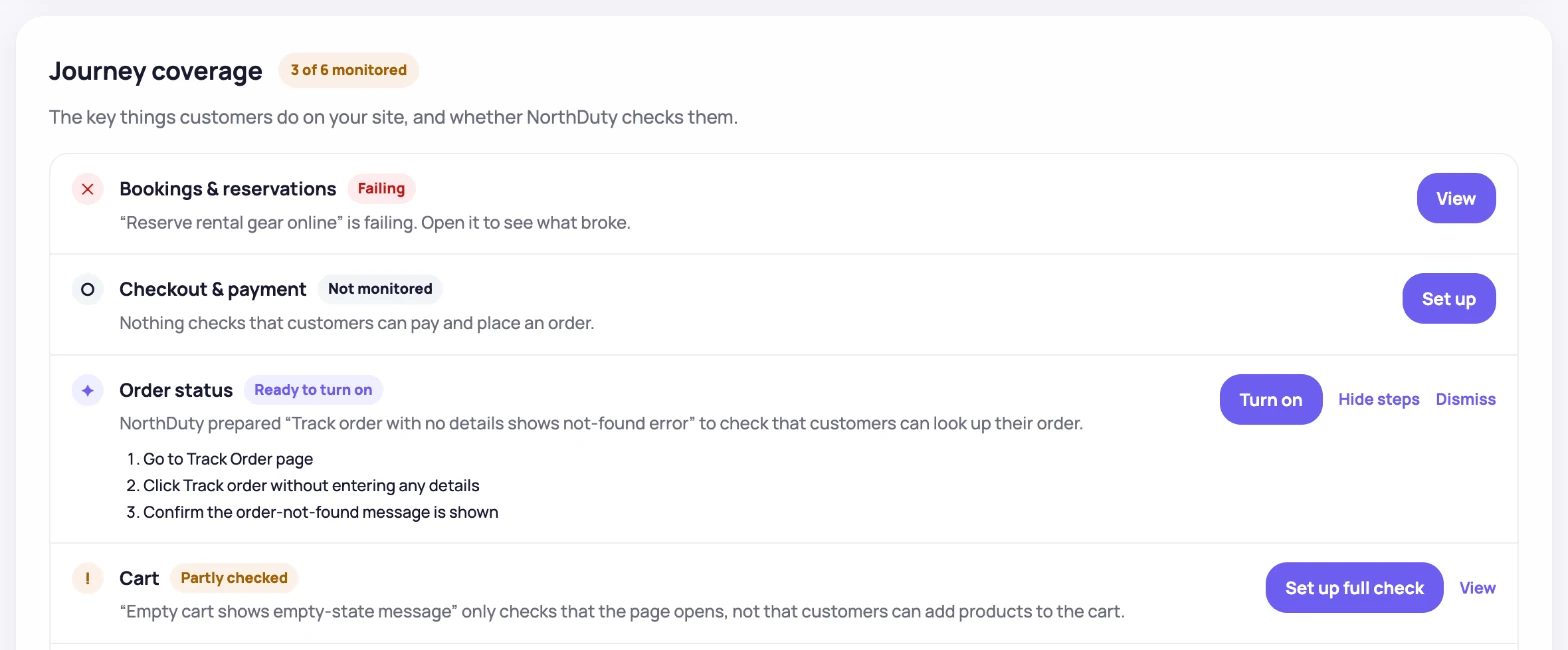
NorthDuty AI suggests 2-5 user journeys for your site. Enable any in one click, or describe your own multi-step flow in plain text — no code.

Why these features matter

Each type closes a gap the others can't see.

How to use the feature set

Set up takes a few minutes — most teams cover their highest-risk pages first.

1

Create a project with your base URL

Uptime monitoring is on by default; UI changes and user journeys are ready to enable.

2

Pick the AI-suggested user journeys you want

Review the 2-5 journeys NorthDuty proposes. Enable the relevant ones, or describe your own in plain text.

3

Confirm the UI change baselines

NorthDuty captures screenshot baselines and pixel-diffs later captures against them, with managed URL sets available for broader page reviews.

4

Tune cadence per project

Website health runs every 5 minutes by default; health, visual-change, and journey cadences can be adjusted in project settings.

Feature Pages

Visit each feature page for use cases, benefits, FAQs, and related solution pages.

Feature

Website Monitoring

Learn how NorthDuty combines health checks, screenshot diffs, and editable user journeys in one website monitoring project.

Explore Website Monitoring

Feature

Uptime Monitoring

Monitor uptime every 5 minutes by default with HTTP, SSL, DNS, blank-page detection, broken resources, JavaScript errors, and API call tracking.

Explore Uptime Monitoring

Feature

SSL Certificate Monitoring

Monitor SSL certificates with NorthDuty website health checks so validity, trust, and expiry issues are visible before visitors are blocked.

Explore SSL Certificate Monitoring

Feature

DNS Monitoring

Monitor DNS resolution with NorthDuty as part of website health checks, so domain and resolution issues are visible before important pages become unreachable.

Explore DNS Monitoring

Feature

Website Performance Monitoring

Monitor website performance signals, response timing, and rendering context on the pages and journeys that affect revenue, leads, and trust.

Explore Website Performance Monitoring

Feature

Visual Regression Monitoring

Screenshot-based visual regression testing and website change detection for key pages — get pixel diffs on design, content, and layout changes, no code required.

Explore Visual Regression Monitoring

Feature

User Journey Monitoring

NorthDuty AI suggests 2-5 website journeys. Enable them in one click or describe a custom multi-step flow in plain text.

Explore User Journey Monitoring

Feature

Signup Flow Monitoring

Monitor signup flows with NorthDuty user journeys so broken forms, missing CTAs, JavaScript errors, API failures, and onboarding issues are caught early.

Explore Signup Flow Monitoring

Feature

Login Monitoring

Monitor login flows with NorthDuty user journeys so authentication pages, forms, JavaScript, APIs, and account-access steps keep working.

Explore Login Monitoring

Feature

Form Monitoring

Monitor website forms with user journeys and page health checks so broken lead, contact, checkout, and submit flows are caught early.

Explore Form Monitoring

Feature

Alerting

Send NorthDuty alerts to email, Slack, Teams, Discord, Google Chat, webhooks, Telegram, WhatsApp, and SMS.

Explore Alerting

Feature

Status Pages

Publish a public status page, track incidents automatically from alert rules, and schedule maintenance windows — all from NorthDuty project settings.

Explore Status Pages

Frequently Asked Questions

Answers to common questions about NorthDuty and website monitoring.

What monitoring types does NorthDuty include?

Three: uptime and website health (one check every 5 minutes by default), UI changes monitoring (screenshots and pixel diffs), and user journeys (AI-suggested in one click or written in plain text). Every project also gets a public status page, incident management, and maintenance windows.

Which monitoring types are best for ecommerce?

All three matter: uptime catches checkout outages, UI changes catch broken product or cart screens after deploys, and user journeys verify the cart → payment → confirmation flow end to end.

Which monitoring types are best for SaaS teams?

Uptime keeps the marketing site and dashboard reachable, UI changes catch regressions to pricing or signup screens, and user journeys exercise login, onboarding, and core app flows.

Call To Action

Start monitoring your website with NorthDuty today.

Get website health monitoring started as soon as you add your base URL, then configure UI changes and user journeys in the same project.

Start on the free plan — add your base URL and monitoring starts in minutes.