A complete checkout journey
Shop → product → add to cart → apply a coupon → shipping details → place order → confirmation. Run on a schedule, every step screenshotted, success asserted on the real “Your order has been received” text.
Summit & Trail Outfitters is a real WooCommerce store we run for exactly one purpose: breaking it on demand. It has a catalogue, coupons, guest checkout, login, quote and repair forms, and a first-party stock API — the same moving parts as any client store. NorthDuty monitors all of it, and this page shows what that looks like when something gives way.
Start your 7-day trial — no credit card, free plan after.
A real store, deliberately broken — see exactly what NorthDuty catches and how it tells you.
The store exercises every monitoring layer NorthDuty ships, on the flows a WooCommerce agency actually worries about.
Shop → product → add to cart → apply a coupon → shipping details → place order → confirmation. Run on a schedule, every step screenshotted, success asserted on the real “Your order has been received” text.
Product search, a size-and-colour product, the WELCOME10 coupon, the free-shipping rule, account signup, a three-step rental booking, order tracking, and the lead forms all run as journeys — because on a client site, a flow that quietly stops working is lost business nobody notices.
Uptime, SSL, DNS, JavaScript errors, and failed browser-side API calls are checked every few minutes — so the problems that break product pages surface alongside the journeys.
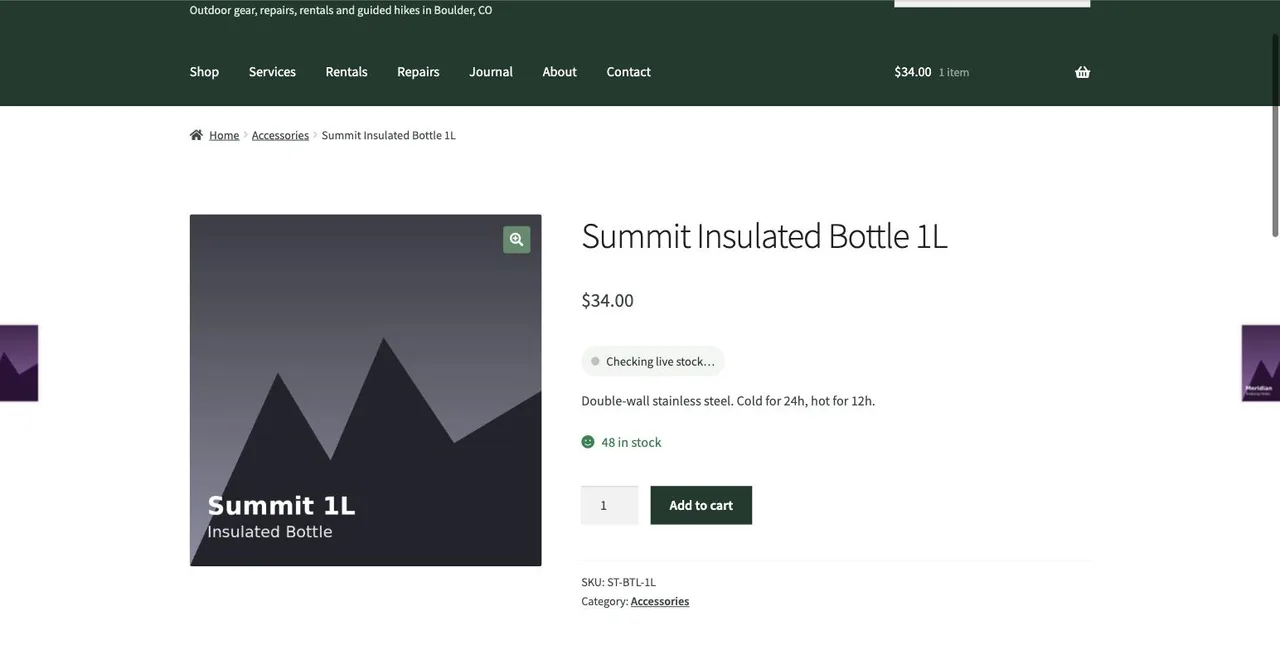
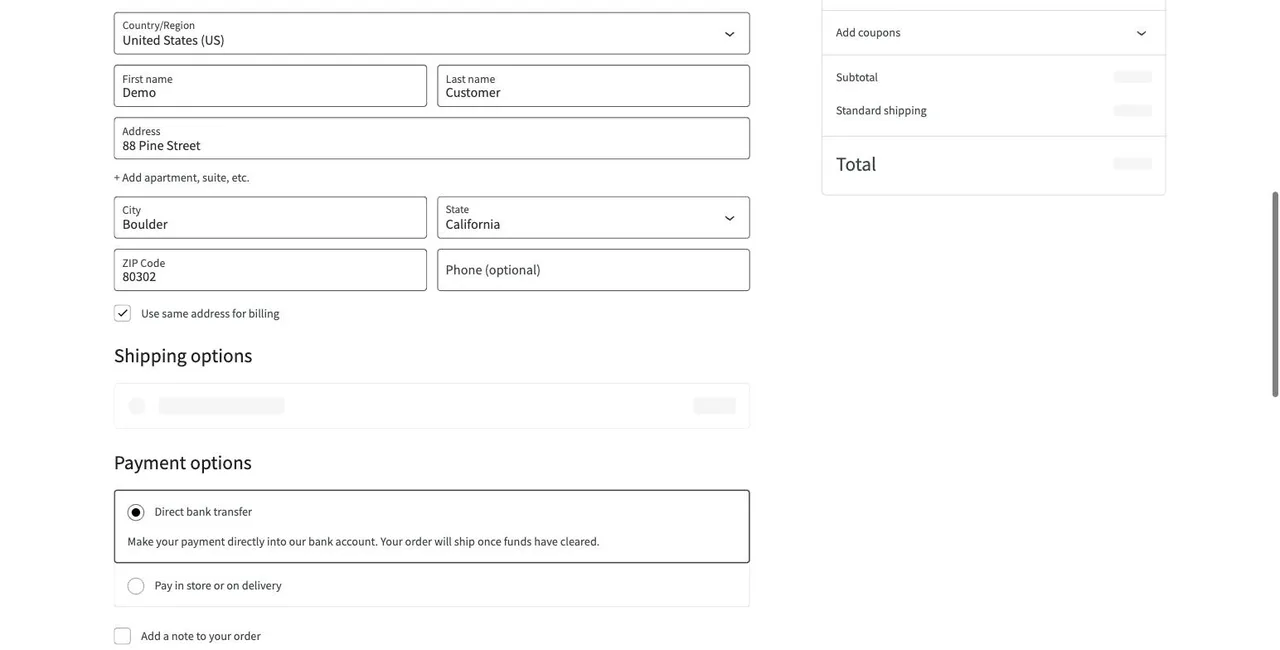
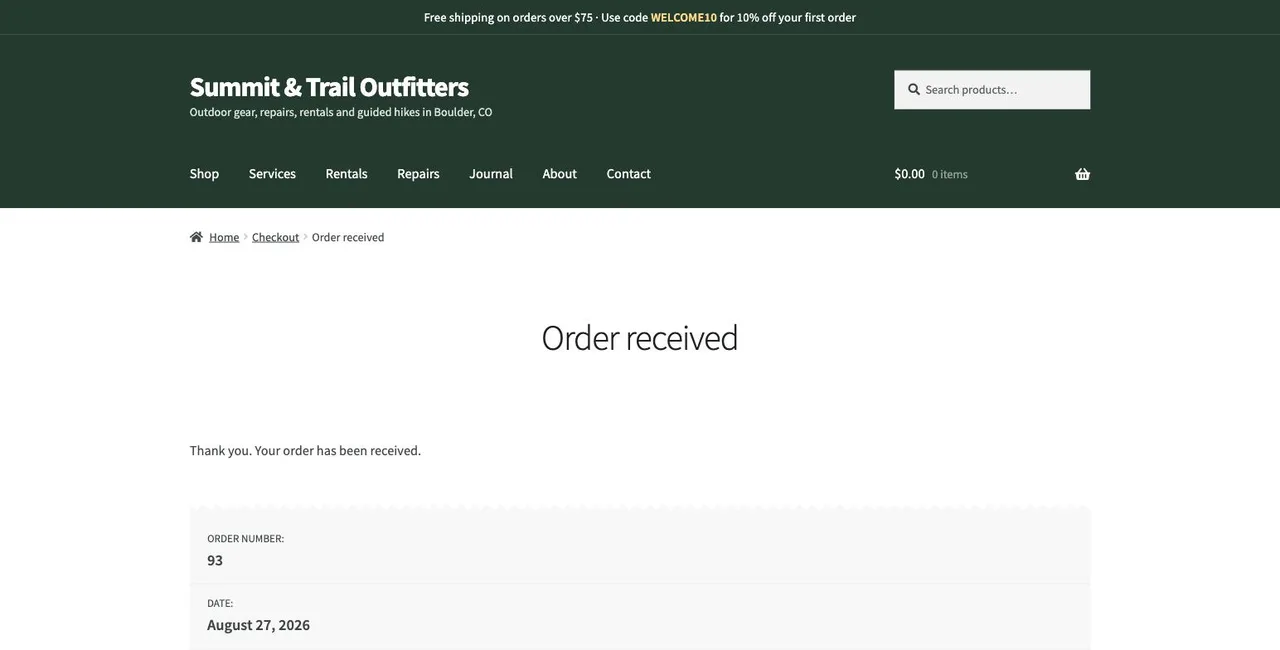
Three of the captured steps from a scheduled checkout run on the demo store — a real browser doing what a customer does.
The journey opens a product page and the live-stock badge — fed by the store's own API — must resolve before adding to cart.
Name, address, shipping method, payment selection — the fields where checkout plugins most often break after an update.
The run only passes when the store says “Thank you. Your order has been received.” — not when the page merely loads.
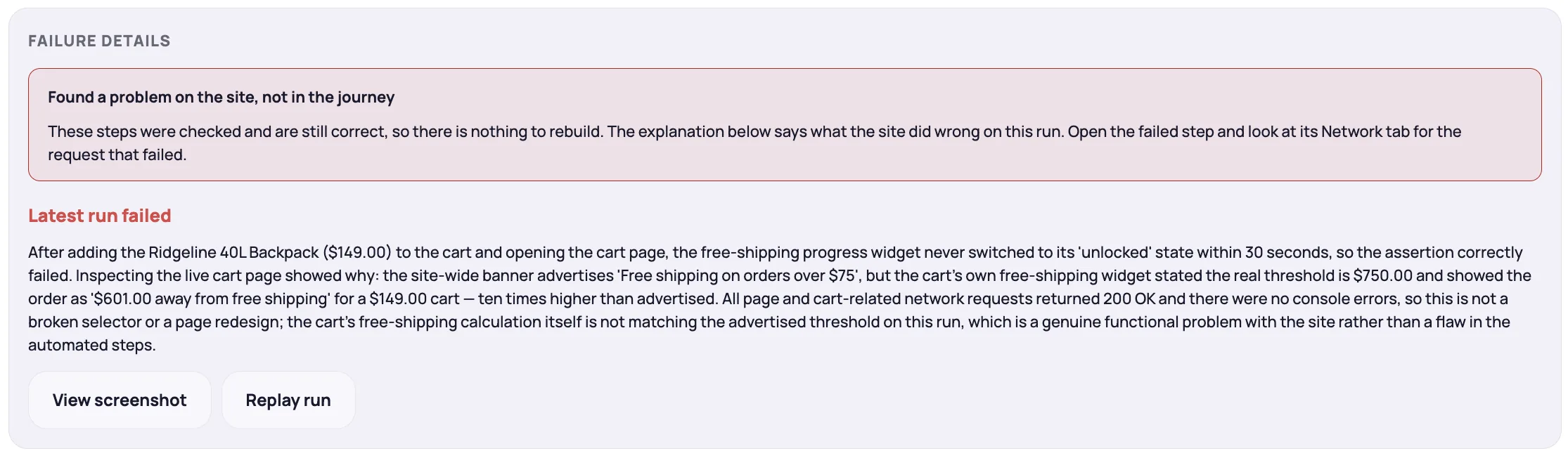
Then we flip two of the store's break switches. This is the difference between “the site is up” and “the site works.”
A $149 cart should ship free. After a settings typo, the cart wants $750 — while every page still returns 200, there are no console errors, and uptime is green. The journey fails at its free-shipping check, and NorthDuty says what changed in plain language.
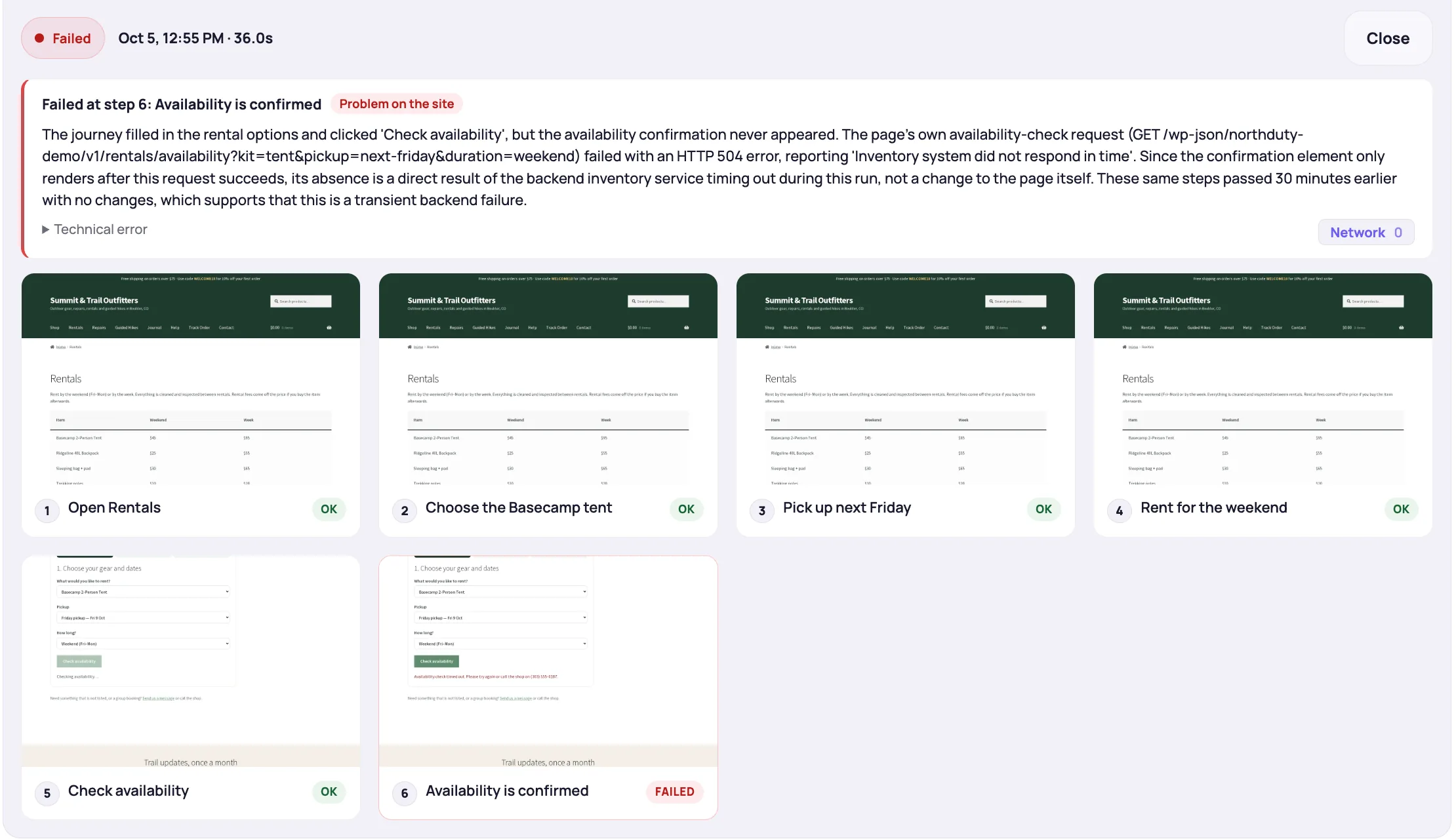
The inventory system behind the booking form stops answering. The page loads and the dropdowns work, but the availability request returns a 504 — and the journey names that exact request.
Most monitoring demos show a green dashboard. That proves very little — the interesting question is what happens when the checkout stops working while the homepage still returns 200. So we built a store that fails the way client stores actually fail: an internal error behind a form submission, an API that stops answering, a checkout step that quietly breaks.
Every screenshot on this page is a genuine capture from NorthDuty monitoring this store — journeys walking cart and checkout in a real Chromium browser, and a failing step reported with exactly what the browser saw at that moment.
Not that dashboards can be green — that failures which never show up as downtime still get caught, named, and evidenced.
The demo project is built into NorthDuty — you get this exact store, journeys and history included.
No card required. Every new account starts with 7 days of full access.
On your empty projects page, one click clones the Summit & Trail demo — and it doesn't count against your plan limits.
Step through the checkout run and the form journeys exactly as shown on this page.
Point NorthDuty at your own store or a client site and enable the journeys it suggests.
Explore pricing, feature details, solution pages, and related tools connected to this website monitoring use case.
Pricing
NorthDuty plans are sized by how many checkout, signup and login journeys you monitor: Free, $29 Starter, $79 Pro, $199 Business. 7-day trial, no card.
Compare pricing plansHub
Explore NorthDuty features: coverage-aware AI journeys, a cross-site workspace overview, website health checks, and connected incident response.
Browse FeaturesHub
Explore NorthDuty solutions for ecommerce website monitoring, SaaS website monitoring, agency website monitoring, and startup website monitoring.
Browse SolutionsFeature
WooCommerce monitoring that runs your real checkout in a browser on a schedule: catch broken carts, failed payment steps and plugin-update fallout early.
Explore WooCommerce MonitoringFeature
WordPress monitoring for client rosters: real-browser journey checks and uptime that catch what plugin and theme updates break.
Explore WordPress MonitoringFeature
NorthDuty runs your checkout, signup, login and form flows in a real browser on a schedule and reports the exact step that failed, with a screenshot.
Explore User Journey MonitoringArticle
WooCommerce checkout monitoring explained: how to monitor checkout, payment flow, and store health, and why uptime checks alone miss most checkout failures.
Read WooCommerce Checkout Monitoring: The Complete GuideArticle
A practical playbook for agencies monitoring 10, 30, or 50 client WordPress sites: what to check per tier, how to survive update day, and how to route alerts.
Read How to Monitor Multiple WordPress SitesAnswers to common questions about this monitoring feature and when teams should use it.
Yes — Summit & Trail Outfitters is a live WordPress/WooCommerce store we operate, with a real catalogue, coupons, forms, and a first-party stock API. Its payment method completes orders without real money, and we break it deliberately to show what monitoring catches.
Yes. Create a free NorthDuty account and use “Add demo project” — you get a clone of this store's project with the journeys, screenshots, and monitors already configured. It doesn't consume your plan limits.
Only if you configure it to. Journeys run with the test-safe accounts and inputs you choose — many stores use a test-mode gateway or a no-payment method like this demo does, or stop the journey before payment.
They're real captures from NorthDuty monitoring the demo store — the checkout steps, the broken free-shipping rule and the booking API timeout are what the product recorded when the store ran and when it broke.
See it with your own sites: start free, open the demo project, then point a journey at the checkout you actually depend on.
7 days with Pro features and limits, no credit card — then keep one daily journey on the free plan.